

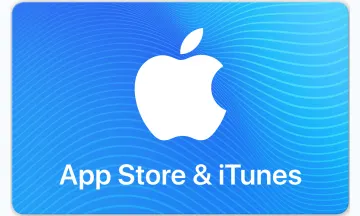
App Store & iTunes ギフトカード
音楽、映画、テレビ番組、オーディオブックなど。

This gift card can be used exclusively for App Store digital content (apps, games, music, iCloud storage, etc). This is not an Apple Store gift card.
The App Store & iTunes Gift Card offers a versatile way to access a vast range of digital content, including apps, games, music, movies, and TV shows. Perfect for personal use or as a thoughtful gift.
- Apps: Purchase popular mobile apps and exclusive software on the App Store.
- Games: Buy mobile games like Hearthstone and The Sims.
- Music: Download or stream music from a vast library on iTunes.
- Movies & TV Shows: Get the latest movies and binge-watch TV series.
- iCloud Storage: Upgrade your iCloud storage for additional space.
Buy App Store & iTunes ギフトカード with crypto such as Bitcoin, Ethereum, USDT, USDC, Solana, Binance Pay and many more.
- Visit appstore.com/redeem.
- Scroll to bottom and click or tap Redeem.
- Enter the 16-digit code shown above.
iTunes & App Store and gift cards and codes associated with both platforms are subject to Apple's Terms and Conditions. You can find iTunes gift card Terms and Conditions here: iTunes Gift Card T&C
Please note there is a limit on your total Apple account balance, please verify all regional limits with Apple's current terms or with Apple's Customer Care team.
レビュー
4.8
5 Reviews

2025年4月17日
Good
2023年1月18日
The card works great. Received immediately after payment.

2025年11月03日

2022年1月19日
Je viens de faire une commande de carte apple store de 150€ et le code ne fonctionne pas.

2020年2月23日
5のうち5を表示する。
ビットリフィルのその他の製品

Amazon.fr France
€10 - €1500
Bitrefill eSIM United Arab Emirates
1GB、7日間 - 100GB, 30 Days
Bitrefill eSIM Europe
1GB、7日間 - 100GB, 30 Days

Amazon.ca Canada
C$5 - C$1000

EE Mobile PIN United Kingdom
£5 - £50
Apple Netherlands
€2 - €250

Uber Money EUR
€25 - €500

Bitrefill eSIM Belgium
1GB、7日間 - 100GB, 30 Days
Lyca Mobile PIN Belgium
€10 - €30

PlayStation Store Belgium
€10 - €250

Airbnb Belgium
€50 - €200
Deliveroo Belgium
€15 - €150
ギフトカードの仕組み

金額を入力してください
カードの金額を選択または入力します。

Pay with any payment method
入金確認は、ほとんどの場合、その日のうちに行われます。

以上で、使用準備は完了です。
ご指定の販売店で、販売店の指示に従い、カードをご利用ください。
よくある質問
FAQについては、ナレッジベースページをご覧ください。
- App Store & iTunes ギフトカードにご希望の金額を入力します。
- 支払いに使用する暗号通貨を選択します。ビットコイン、ビットコインライトニング、イーサリアム、USDT、USDC、ライトコイン、ドージコイン、ダッシュなどがあります。または、Binance Pay を使用して支払うこともできます。
- お支払いが確認されると、App Store & iTunesギフトカードコードがお手元に届きます
- Choose the amount you want and add the gift card to the cart.
- Enter your email address so we can send you the code.
- On the checkout page, select Bancontact as your payment method.
- Pay securely with Bancontact.