

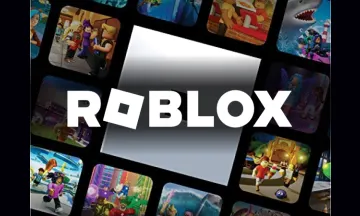
Roblox Gutschein
Robux für Avatare, Accessoires & Spielpässe kaufen.

Roblox lets anyone imagine, create, and play with friends in millions of immersive 3D experiences, all made by a global community of developers. Use Roblox Vouchers to buy Robux (Roblox's virtual currency), get more in-game content, or upgrade your avatar with cool items. You can even double the fun by redeeming your cards for a Roblox subscription.
Buy Roblox Gutschein with crypto such as Bitcoin, Ethereum, USDT, USDC, Solana, Binance Pay and many more.
This card can be redeemed once only at
www.roblox.com through a Roblox account, converting it into Roblox credits up to the value shown on the card, which can be used for certain products and services onwww.roblox.com only. You acknowledge that this card will not expire until its full value is redeemed or three years from the issue date, whichever comes first. You understand that you can redeem this card and use Roblox credits only if your computer or mobile device is connected to the internet.Any data or access fees charged to you for accessing and using www.roblox.comare subject to the terms of your agreement with your internet or mobile network provider. You acknowledge the risks associated with internet usage, including but not limited to website unavailability, data integrity loss, potential virus attacks, etc. To redeem this card and use Roblox credits, you must log in with an existing Roblox account or create a new one by providing the required information and agreeing to the Roblox website's Terms of Use (available at
https://en.help.roblox.com/hc/en-us/articles/115004647846-Roblox-Terms-of-Use).The availability and pricing of products and services may change and may be subject to age restrictions.Partial redemption is not allowed. This card cannot be exchanged for cash or credit and cannot be resold as prohibited by applicable law. It is recommended not to purchase if the PIN code has been scratched or tampered with.The card will be void where prohibited by law. Roblox is not responsible for unauthorized use of this card by third parties or if the card is lost, stolen, damaged, or destroyed. To the extent permitted by applicable law, fraudulently obtained cards will not be redeemable. For minimum system requirements and additional information, including how to check your gift card balance, visit www.roblox.com
or contact us at www.roblox.com/support.© 2020 Roblox Corporation. All rights reserved. All trademarks shown are the property of Roblox Corporation (USA), 970 Park Place, Suite 100, San Mateo, CA 94403.Please note that these terms and conditions are supplemental to the general Terms of Use of www.roblox.com. Furthermore, all provisions of the general Terms of Use apply to the gift card unless otherwise specified in these terms and conditions.
Bewertungen
5
1 Reviews

27. Mai 2025
Anzeige von 1 aus 1
Weitere Produkte auf Bitrefill

Steam USD
$20 - $200
PlayStation Store USA International
$10 - $250
Xbox USD International
$5 - $100
Nintendo eShop USA International
$5 - $99
Roblox USD
$10 - $500
Apple Canada
C$5 - C$500
Roblox Canada
C$15 - C$500

TrueMove H Thailand
10 THB - 1000 THB

Steam India
₹130 - ₹5000

Steam Thailand
50 THB - 3000 THB
ShopeePay Thailand
100 THB - 5000 THB
PlayStation Store Thailand
1000 THB - 2500 THB
So funktionieren Geschenkkarten

Gib den Betrag ein
Wähle den Betrag aus, den die Karte haben soll, oder gib ihn ein.

Zahle, wie du willst!
Deine Zahlung wird in den meisten Fällen in derselben Minute bestätigt.

Das war's, los geht's!
Löse deine Karte bei deinem ausgewählten Händler gemäss dessen Anweisungen ein.
Häufig gestellte Fragen
Schaue auf unsere Knowledge Base Seite für weitere FAQs
- Gib den gewünschten Betrag ein, den die Roblox Geschenkkarte haben soll.
- Wähle die Kryptowährung aus, die du für die Zahlung verwenden möchtest, z.B. Bitcoin, Bitcoin Lightning, Ethereum, USDT, USDC, Litecoin, Dogecoin, Dash. Alternativ kannst du auch mit Binance Pay bezahlen.
- Sobald deine Zahlung bestätigt ist, erhältst du deinen Roblox Gutscheincode.